

Binance Futures API Key
Before creating a Binance API key, review the required permissions in the API Keys Overview.
-
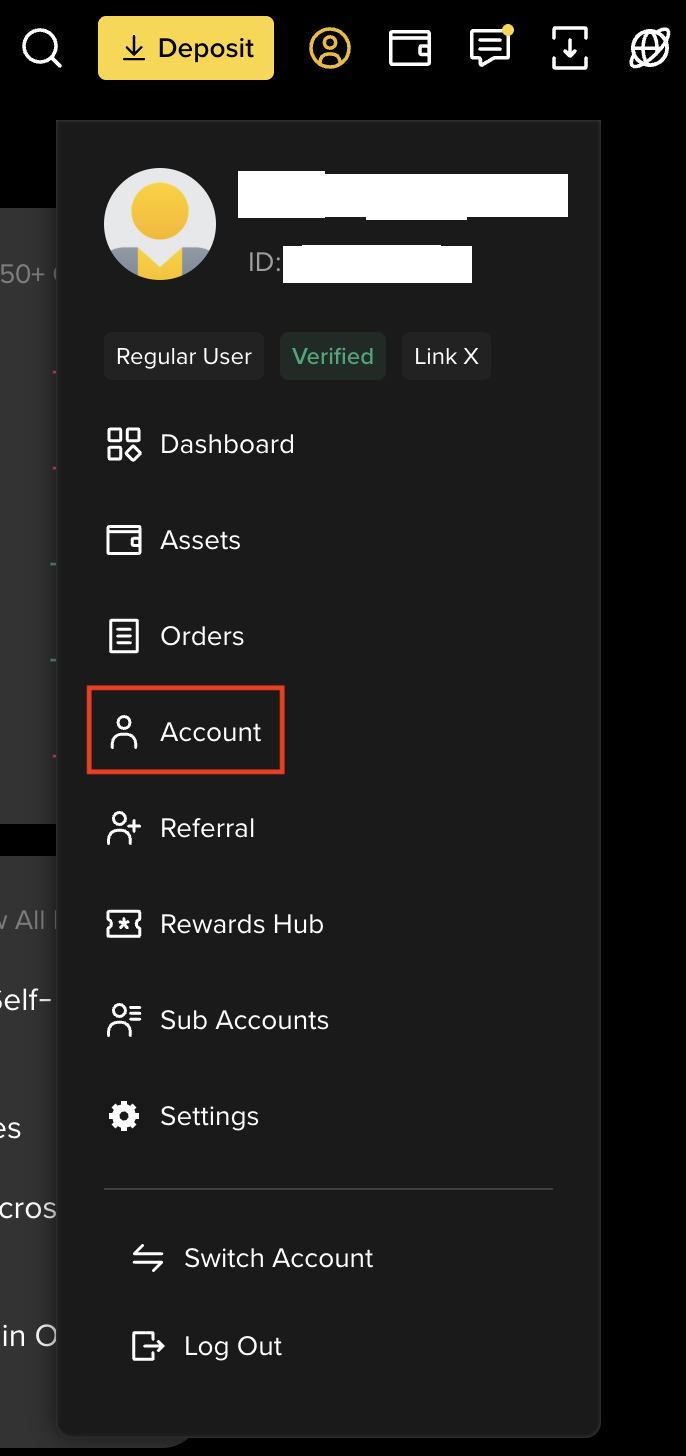
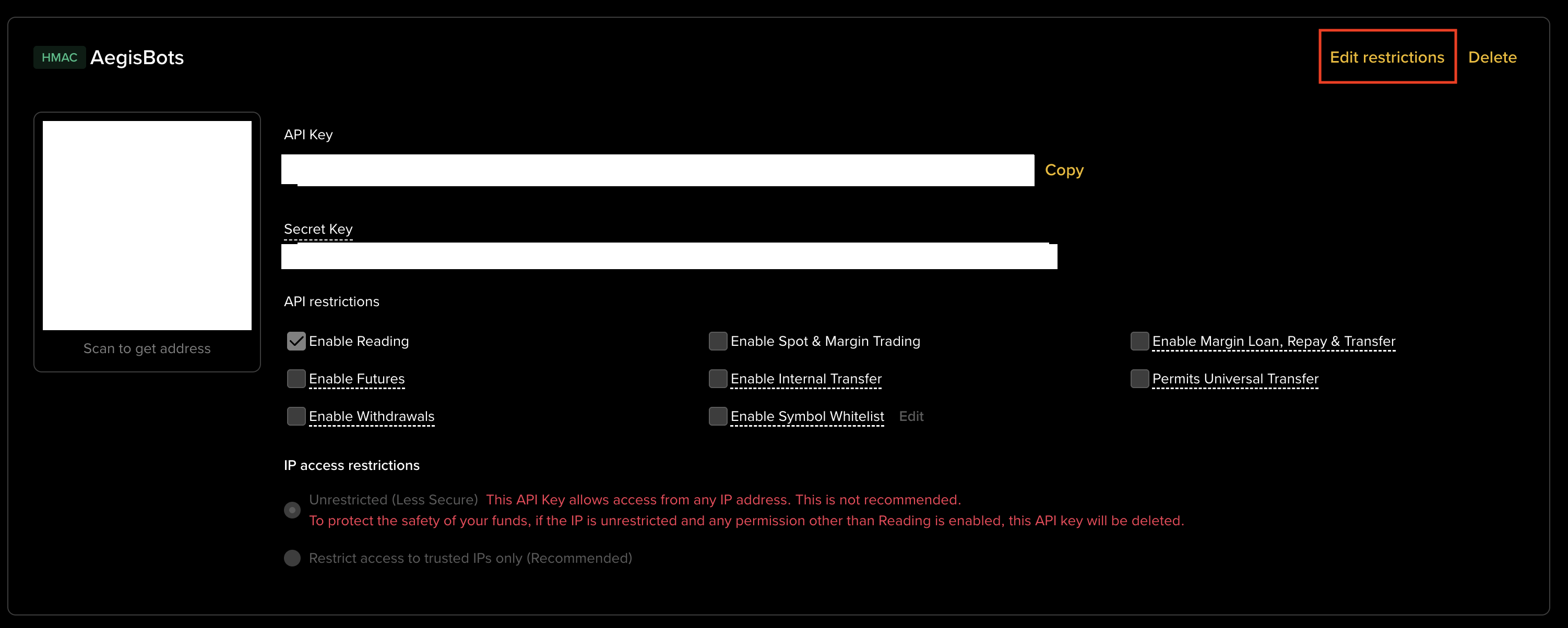
Log in to Binance and open API Management. Go to binance.com, sign in, click your profile icon, then select API Management.
-
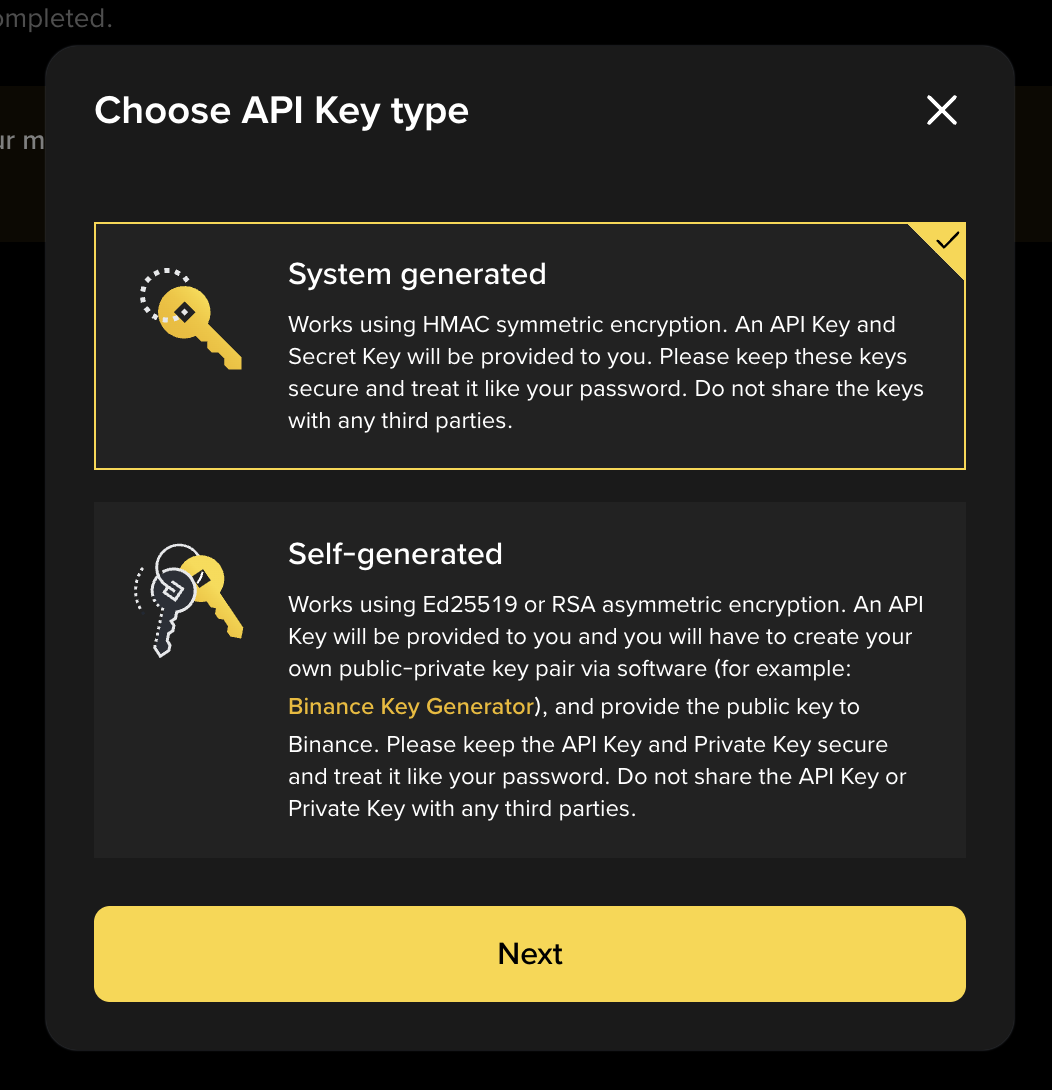
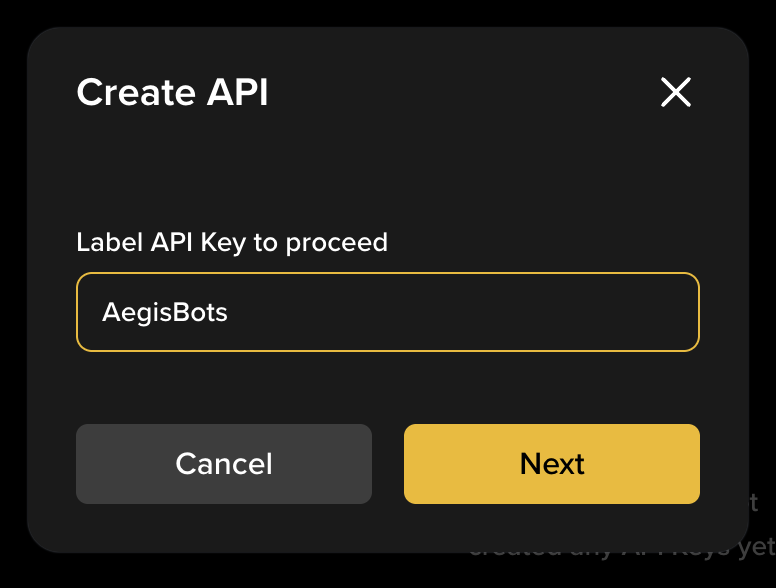
Create a new API key. Click Create API, choose System-generated, and enter a label (for example,
aegis-bot). Complete the 2FA verification.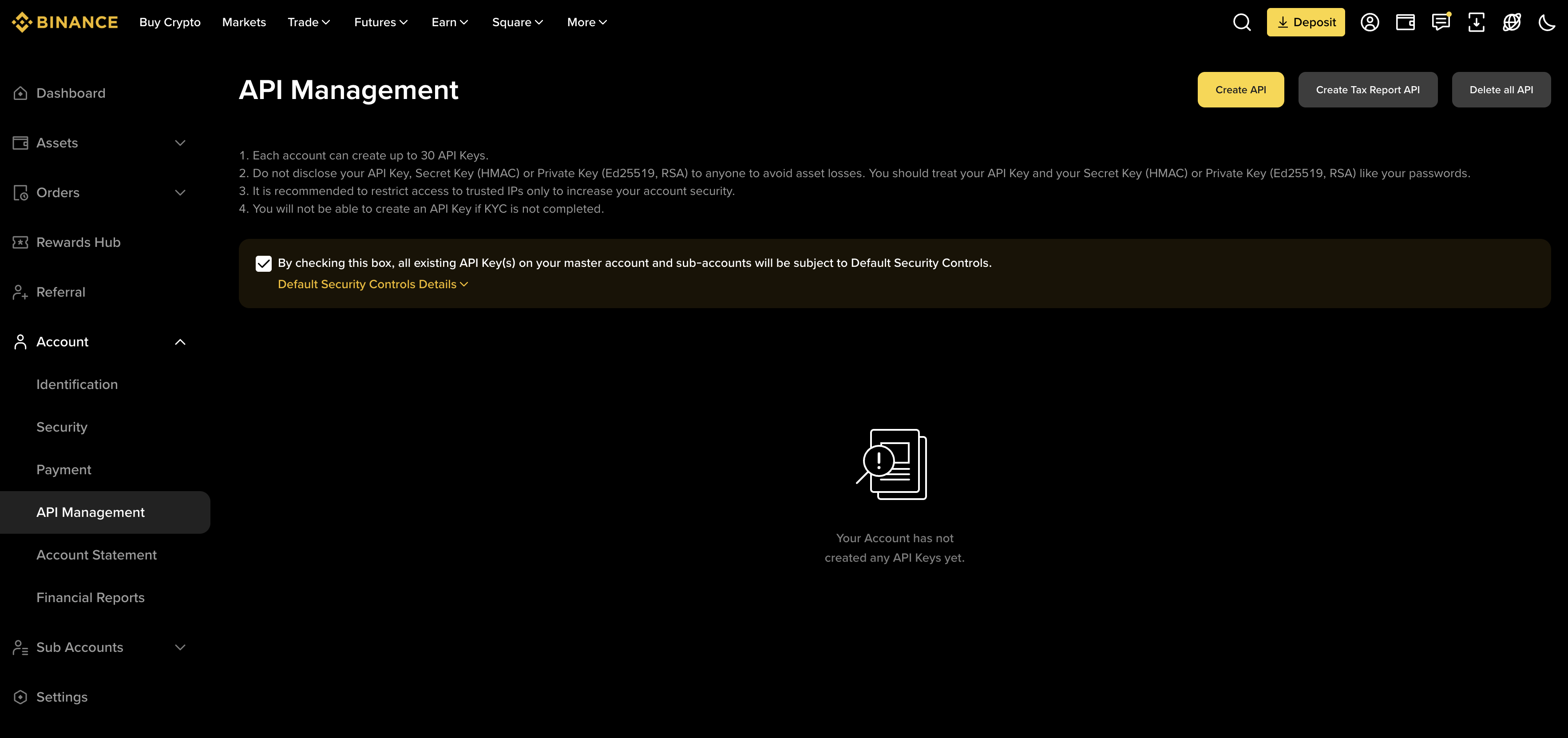
-
Copy the API key and secret. Binance shows the API secret only once. Copy and store it securely before continuing. You will enter these values in the Aegis dashboard.
-
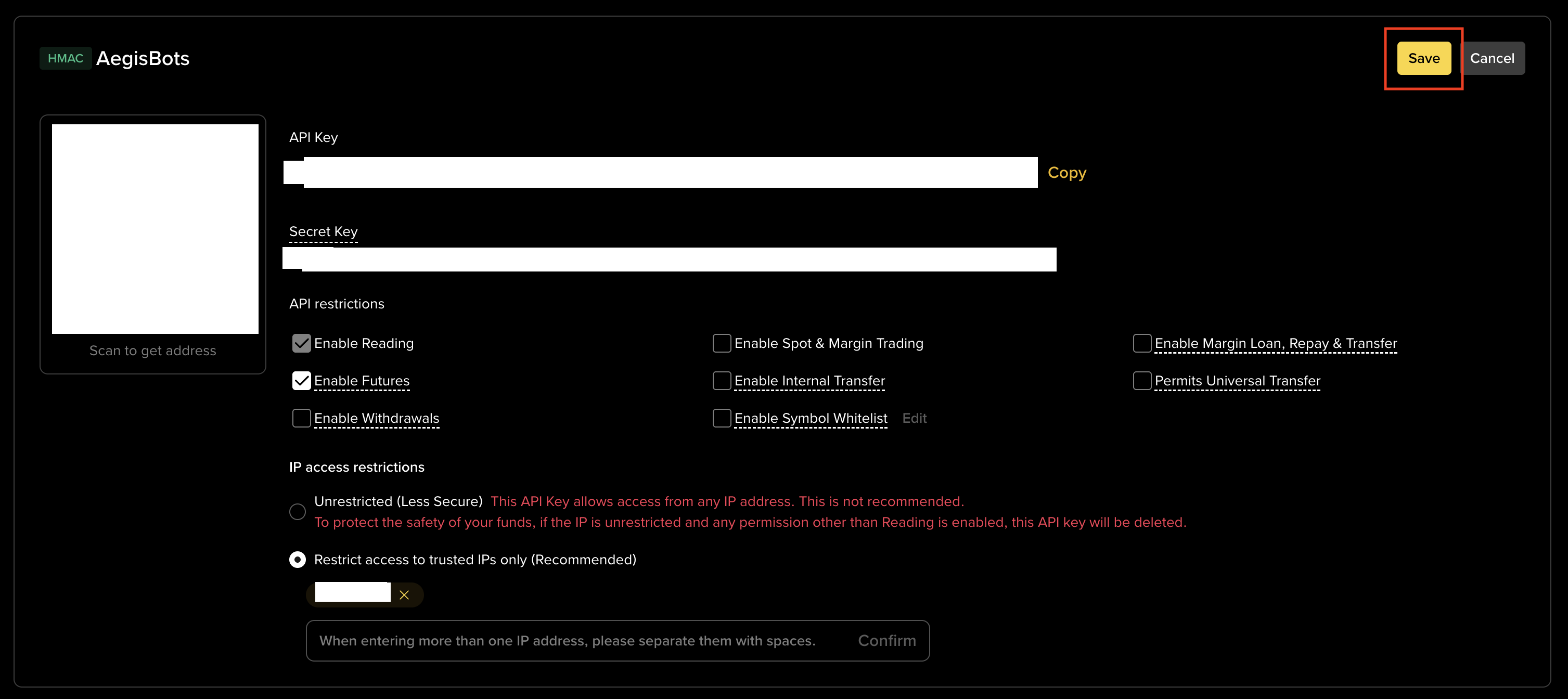
Enable required permissions — Read and Spot Trading. In the API key permissions, enable:
- Read (Enable Reading / Account Info)
- Spot & Margin Trading (required for Binance Futures accounts)
-
Enable Futures trading permission. Enable Enable Futures (Futures / Derivatives Trading). Do NOT enable Withdraw, Internal Transfers, or Bank/Fiat Withdrawals.
-
Restrict to IP address (recommended). Under IP Access Restrictions, select Restrict access to trusted IPs only and enter your Aegis bot server IP address. This limits the key to requests from that IP only, reducing exposure if the key is leaked.


Permissions Summary
Section titled “Permissions Summary”| Permission | State |
|---|---|
| Read / Account Info | Enabled |
| Spot & Margin Trading | Enabled |
| Futures / Derivatives Trading | Enabled |
| Withdraw funds | Disabled |
| Internal transfers | Disabled |
| Bank / Fiat withdrawals | Disabled |
Next Step
Section titled “Next Step”Add the API key to the Aegis dashboard.
Last verified: 2026-05-12